

Curated Itinerary
Barcelona Gothic Quarter Virtual Tour — Nine Stops in a City Built Twice
Nine stops from the Roman gate of Bàrcino to Santa Maria del Mar, each opening with a 360° panorama: the walk through a medieval quarter that was largely assembled in the twentieth century, out of stones carried here from streets that no longer exist.
Take this route into Google Maps
From Plaça Nova and the Roman Gate of Bàrcino — Barcelona – Virtual Tour 360° to Basílica de Santa Maria del Mar – Virtual Tour 360°, in the order we curated them.
➤ Turn on the navigator in Google MapsIt opens in the Google Maps app with every stop already loaded, in the order we put them in. From there the route is yours: pick how you travel — on foot, by bike, by public transport or by car — change where you start and where you end, drag the stops into a different order, and add places of your own along the way.
Nine stops in the Barri Gòtic and La Ribera, from the Roman gate on Plaça Nova to the nave of Santa Maria del Mar — about 1.4 kilometres on foot, and half of it free to walk into. Every stop opens with a 360° panorama, so the route can be taken from a screen as well as from the pavement. Read the full story in the dedicated article Nothing Here Is Where It Was Built: Walking Barcelona’s Gothic Quarter.
Step by step
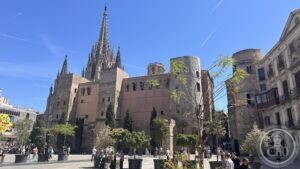
Plaça Nova and the Roman Gate of Bàrcino — Barcelona – Virtual Tour 360°
The two round towers on Plaça Nova are what is left of the north-west gate of Roman Bàrcino, the entrance to the decumanus that is now Carrer del Bisbe.

Barcelona Cathedral (Catedral de Santa Eulàlia)
The Gothic heart of the old city, guarded by thirteen geese and dedicated to a teenage martyr.
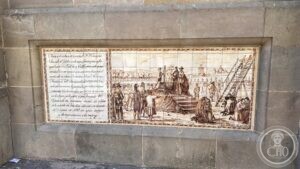
Plaça de Garriga i Bachs and the Monument to the Martyrs of 1809 — Barcelona
A small square against the cathedral cloister, where a bronze group and a row of ceramic panels commemorate the Barcelonans executed in 1809 for rising against the Napoleonic occupation.
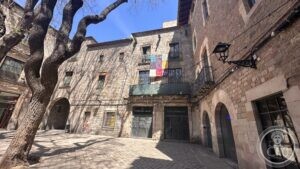
Plaça de Sant Felip Neri — Barcelona – Virtual Tour 360°
The shrapnel on the church wall is from 30 January 1938, when the square was bombed and forty-two people were killed. Much of what stands around it was carried here from other bombed streets.
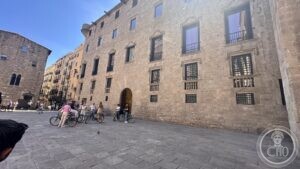
Plaça de Sant Iu and the Palau del Lloctinent — Barcelona – Virtual Tour 360°
A long wall of Montjuïc stone between the cathedral apse and Plaça del Rei: the palace built in 1549 for the viceroys of Catalonia, and for 140 years the home of the Archive of the Crown of Aragon.
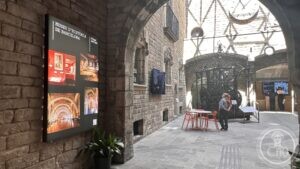
Plaça del Rei and the Barcelona History Museum — Barcelona – Virtual Tour 360°
Under this square lie four thousand square metres of Roman and medieval Barcelona. Above it, in a palace carried here stone by stone, the museum keeps its doors and its clock courtyard open to anyone.
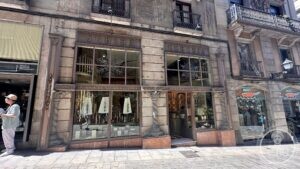
Cereria Subirà — Barcelona’s oldest shop – Virtual Tour 360°
A candle shop founded in 1761, trading behind a shopfront fitted out in 1847 for a luxury draper — the double staircase, the columns on carved figures and the chequered marble floor are all still there.
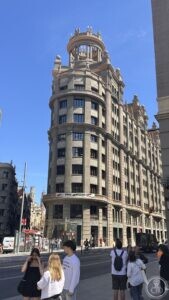
Edifici de Sindicats, Via Laietana 16 — Barcelona
A Flatiron built for a bank, taken by the Falange, and handed to the unions in compensation: the prow at Via Laietana and Argenteria carries a circular temple on its roof.
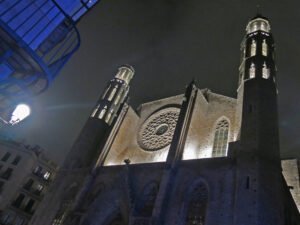
Basílica de Santa Maria del Mar – Virtual Tour 360°
Built in just fifty-four years by the people of the port — the purest Catalan Gothic in Barcelona.
Download for tour navigation
PDF is the stop list with GPS, to print or keep on the phone. GPX for Garmin / Komoot / OsmAnd. KML for Google Earth and Maps.
Walk it with the navigator on
It opens in the Google Maps app with every stop already loaded, in the order we put them in. From there the route is yours: pick how you travel — on foot, by bike, by public transport or by car — change where you start and where you end, drag the stops into a different order, and add places of your own along the way.
To keep the route in the app instead of opening it once, download the KML above and import it into Google My Maps — Create a new map, then Import: the route then sits among your own maps in Google Maps, with the stops and our notes attached to each one.