
The path as it exists today: the form and its twelve fields, the confirmation email, the review that depends on your address, the five pages your event lands on, and the one thing you cannot yet do yourself.
You do not need an account, you do not need a card, and the listing has no ceiling. What follows is the path as it exists today: the form, the confirmation email, the review, and the pages your event lands on. Where something is not yet possible, it says so.
1. You do not need an account
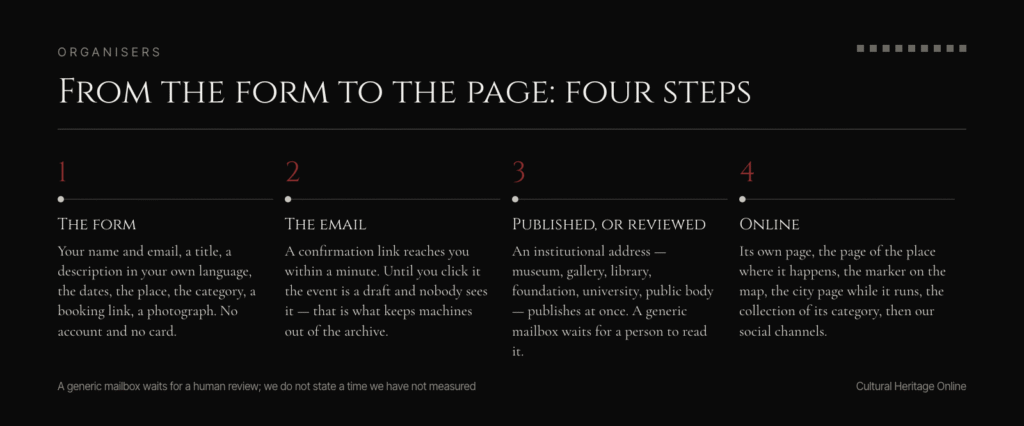
The form at culturalheritageonline.com/publish-event/ accepts a submission from anyone. No account, no card, no trial.
An account is still worth the minute it takes, for one reason that is easy to miss: the event is attached to whoever owns the email address you put in the form. If that address belongs to an account, the event becomes yours — your name under it, and the event listed in your own area with its status, Published or Under review. If it belongs to nobody, the event goes online with no author, and nobody can see its status, including you.
2. What the form asks
Twelve fields, and most of them take a few seconds:
- Your name and your email address. The address is what ties the event to you, and it is the one we write to.
- A title, up to 180 characters.
- A description in your own language. Five to ten lines is enough. A button sends it to our editorial assistant, which rewrites it in magazine prose in the language you wrote it and adds the English version alongside. Both appear before you send, and you can correct or replace either.
- The dates: the first day, the last day, and the times if the event has them.
- A tick for an event that comes back every year.
- The place: searched in the archive of documented heritage places, or typed in. If the building is not in the archive yet, the form can open a page for it.
- The region or country.
- The category. This one matters more than it looks: it decides which thematic collection picks the event up.
- A link to your tickets or your information page, pointing wherever you sell.
- A photograph, taken with the phone or chosen from the gallery, or the address of one already online.
There is no field for the photographer’s name, so write it in the description. A photograph we cannot credit is one we cannot publish.
If the event is already on another site, there is a box at the top: paste the address and the form fills itself in from that page.
3. The confirmation email
When you send the form, nothing is published. You receive an email within a minute, with one link in it. Until you click that link the event is a draft, and nobody sees it.
This is not a formality. It is what keeps the archive free of submissions sent by a machine, and of the ones sent by someone using an address that is not theirs.
4. Published, or reviewed
What happens after you click depends on the address you used.
If it is institutional, the event publishes at once. We read the domain: a museum, a gallery, a library, a foundation, a university, a public body. That is a judgement about the address, not about you, and it is made by a rule, not by a person.
If it is a generic mailbox — Gmail, Outlook, your own small domain — the event waits for a human review. We do not state a review time, because we have not measured one, and a number we have not measured is worse than no number.
5. Where the event appears
Five places, and the order matters because only the first is the one most organisers expect.
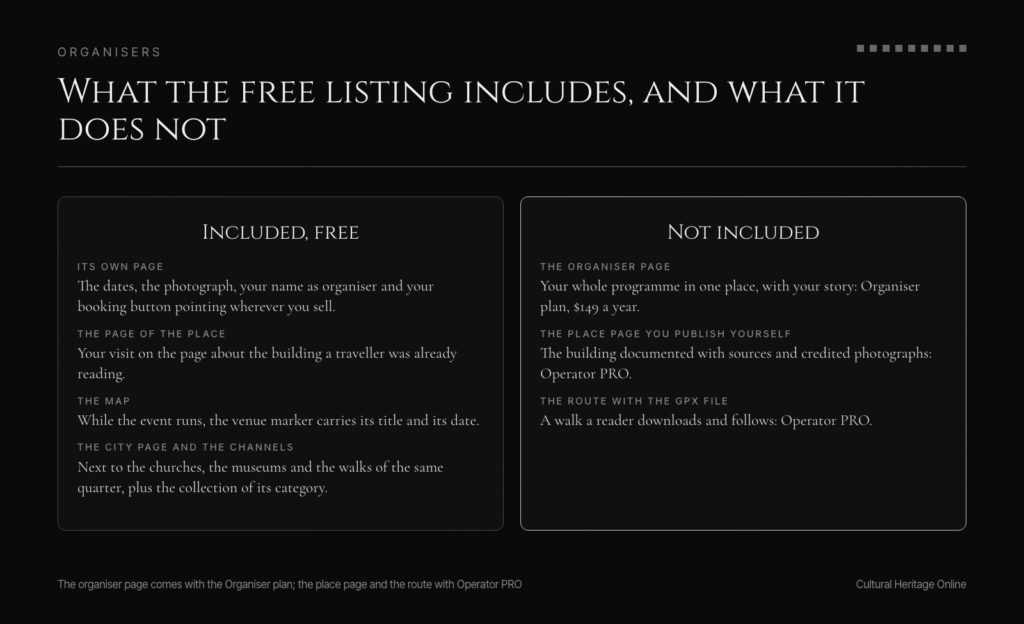
Its own page. The title, the dates, the photograph, the place, and your booking button pointing wherever you sell. Your name as the organiser, with a link to your site.
The page of the place where it happens. This is the one that does the work. A traveller planning a week in Budapest searches the building, not your walk: they read the page about the building, and your visit is on it. Three streets away and three days later is no longer invisible.
The map. The venue carries a marker, and while your event is running that marker shows its title and its date. Readers browsing a city see it without searching for it.
The city page. While the event is current, it sits on the page of its city, next to the churches, the museums and the walks of the same quarter.
The collection of its category, and our social channels. The event goes out through the same pipeline that publishes our own articles.
6. What you change yourself, and what you ask us
This is the part the first version of this page got wrong, so it is worth being exact.
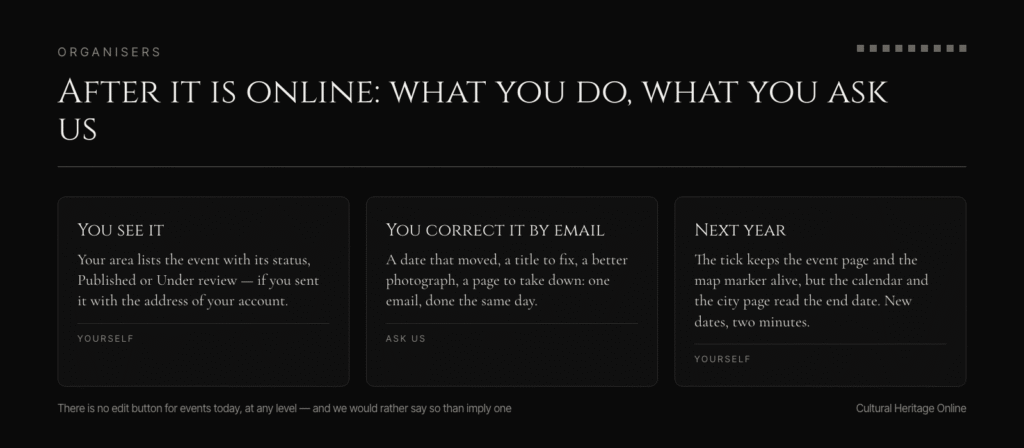
From your area you see your events, with their status. You do not yet edit them: there is no edit button for an event, at any level. A correction — a date that moved, a title to fix, a better photograph, a page to take down — is one email to us, and it is done the same day.
That is not the end state and we are not pretending it is. It is what the machine does today.
7. An event that comes back every year
The form has a tick for it. What the tick does today: the event page says the event recurs, and the marker on the map stays active instead of disappearing after the last date.
What it does not do: it does not put you back in the calendar of upcoming dates, and it does not keep you on the city page. Both of those read the end date. For next year’s edition you send the new dates, which takes the same two minutes as the first time.
8. A week later
Look at the page the way a reader does, on a phone: the title, the first two lines, the photograph, the booking button. Then open the page of the place, which is where most of the readers come from, and see how your event reads next to the building’s own history.
Mistakes that are invisible on the first day are the ones a reader finds in the second week. A date in the wrong format, a photograph nobody can credit, a title that says the name of your organisation instead of what a visitor would see. One email and we fix it.
Frequently asked questions
Do I need an account to publish one event?
No. The form accepts a submission with an email address alone. The account is what makes the event yours: your name under it, and its status visible to you.
Is publishing free?
Yes, with no ceiling and no card. It is not a trial and it is not withdrawn if you never pay. The paid plans buy the organiser page, the top of the listings and the report — not permission to be in the archive.
How long does the review take?
We do not state a time, because we have not measured one. If your address is institutional the event publishes straight after the confirmation, with no review at all.
Can I correct an event after it is online?
Not by yourself, not yet. There is no edit button for events in your area. Write to us and we correct it the same day.
Does selling tickets cost extra?
No. Your event page carries your own booking button, pointing at whatever platform you use, and we take no cut of those sales. We are building our own till; when it is ready it will be one more option, never a condition for being published.
Can I keep my own prices and rules?
Yes. Prices, capacity, refunds and cancellations are yours, because the sale is yours.
What photograph should I send?
One that shows the place or the walk, with the name of whoever took it written in the description. A poster with text on it is not a photograph: it cannot be read on a phone and it cannot be credited.
What if the building is not in your archive?
The form opens a page for it. The archive holds 16,968 documented heritage places across 6,341 cities (figures measured on 22 October 2026), so most of the time it is already there.
Publish your first event, free: culturalheritageonline.com/organiser/
Sources
- Cultural Heritage Online, event submission form, https://culturalheritageonline.com/publish-event/ — fields read 27 October 2026
- Cultural Heritage Online, Organiser programme page, https://culturalheritageonline.com/organiser/ — read 27 October 2026
- Cultural Heritage Online, Operator PRO page, https://culturalheritageonline.com/pro-operatori/
- Cultural Heritage Online, editorial guidelines, https://culturalheritageonline.com/editorial-guidelines/
- Cultural Heritage Online, catalogue figures measured on 22 October 2026 (data/numeri-cho.json)
Spotted an error? Write to editorial@culturalheritageonline.com and we correct it the same day.